

In the ever-evolving world of gaming, having the right hardware is essential for an immersive experience. Building your own gaming PC can be an exciting and rewarding challenge, allowing you to tailor your setup to your specific needs and preferences. This guide will walk you through the entire process, from selecting components to assembling your machine, ensuring you make informed decisions along the way.
Understanding Your Needs
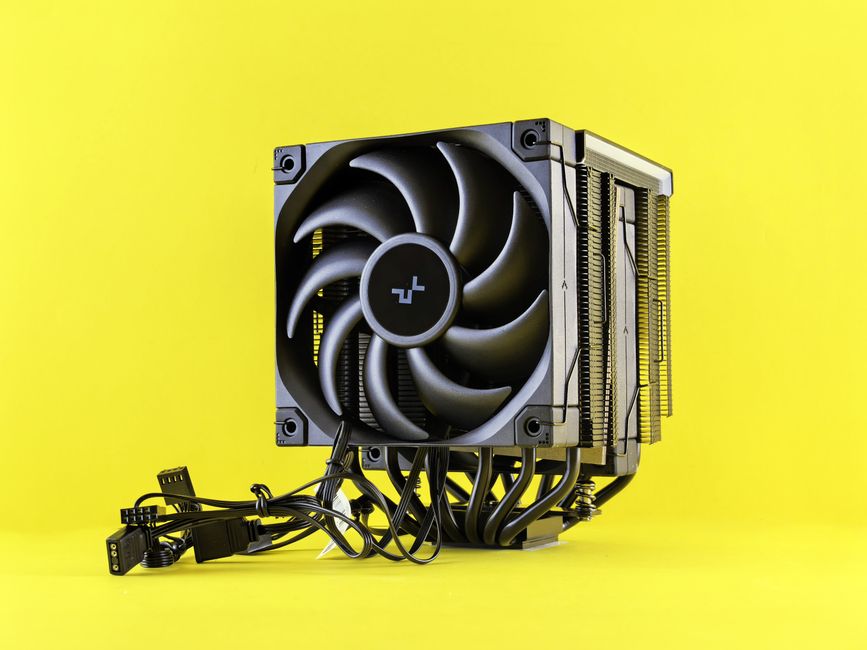
Before diving into the components, it’s crucial to understand what you want from your gaming PC. Are you an avid gamer looking for high-end performance, or do you need a budget-friendly option for casual gaming? Knowing your requirements will help you select the right parts.
For high-end gaming, consider components that support 4K resolution and high frame rates. A powerful graphics card, such as the NVIDIA GeForce RTX series, is essential for running the latest games smoothly. On the other hand, if you’re looking for a budget build, focus on getting the best value for your money without over-specifying parts.
Choosing the Right Components
The heart of your gaming PC lies in its components. Here’s a breakdown of the critical parts you’ll need:
1. CPU: Your processor is vital for overall performance. AMD and Intel offer excellent options, but ensure you choose one that fits your gaming style. For instance, AMD Ryzen 5 or Intel Core i5 are great mid-range choices.
2. GPU: The graphics processing unit is crucial for rendering graphics. High-performance GPUs can significantly enhance your gaming experience.
3. RAM: Aim for at least 16GB of RAM to ensure smooth multitasking. More demanding games might require 32GB.
4. Storage: Consider a combination of SSD for fast boot times and HDD for larger storage capacity. NVMe SSDs are particularly fast and enhance loading times.
5. Motherboard: Ensure your motherboard is compatible with your CPU and has enough ports for future upgrades.
For an even more streamlined process, many builders use online tools like gaming PC builder websites to compare parts and ensure compatibility.
Assembling Your Gaming PC
Once you’ve gathered all your components, it’s time to assemble your gaming PC. Here are the steps to follow:
1. Prepare Your Workspace: Ensure you have a clean, static-free workspace. Gather your tools, typically a screwdriver, and ensure you have anti-static wristbands.
2. Install the CPU and RAM: Start by installing the CPU into the motherboard, followed by the RAM. Be careful to align the notches correctly.
3. Attach the Motherboard: Secure the motherboard inside the case using the provided screws. Make sure it’s properly grounded.
4. Install the GPU: Insert the graphics card into the designated PCIe slot and secure it. Connect any necessary power cables.
5. Connect Power Supply and Storage: Properly connect the power supply to all components. Finally, install your SSD and HDD and connect them to the motherboard.
Installing Your Operating System
With your PC assembled, it’s time to install your operating system. Most gamers prefer Windows 10 or Windows 11 due to their compatibility with most games. You can install the OS via USB drive by following these steps:
1. Create a Bootable USB: Use the Media Creation Tool from Microsoft to create a bootable USB drive.
2. Boot from USB: Enter BIOS settings and set your USB drive as the primary boot device.
3. Follow Installation Prompts: Once booted, follow the on-screen instructions to install the operating system.
Optimizing Your Gaming Experience
After setting up your gaming PC, it’s essential to optimize it for the best performance. Here are a few tips:
1. Update Drivers: Ensure that your GPU and other drivers are up-to-date for optimal performance.
2. Adjust Game Settings: Depending on your hardware, you might need to tweak in-game settings to maintain high FPS.
3. Regular Maintenance: Keep your system clean and dust-free and monitor temperatures to prevent overheating.
Building your own gaming PC can be an enriching experience, allowing you to create a machine tailored to your preferences. With the right components and careful assembly, you’ll be ready to take your gaming to the next level.